claude-code

Superpowers 6

Jesse Vincent just released version 6 of his Superpowers plugin for coding agents, and has made it a lot faster and a token hungry.

One thing that can be frustrating is planning and building with the plugin skills can be slow and use large amounts of tokens. It's no surprise though considering what it does.

A bunch of the reasons that Superpowers builds have taken longer and cost more are the same reasons that it delivers good outcomes for so many users. It does a ton of up-front planning work to make sure your implementations can be hands-off, forces strict red-green TDD while implementing, and then the orchestrator inside Superpowers reviews every single change on two axes:

  1. did the agent implement exactly what was asked, no more and no less.
  2. is the quality of the work up to snuff.

Just by the nature of what it's doing, it's going to be slower than yoloing an untested implementation and calling it a day.

However, it seems he also managed to take advantage of the few short days that Fable 5 was available and used it deeply analyse thousands of Subagent Driven Development sessions and effectively have it create an autoresearch harness that ran 25 experiments to make it more efficient.

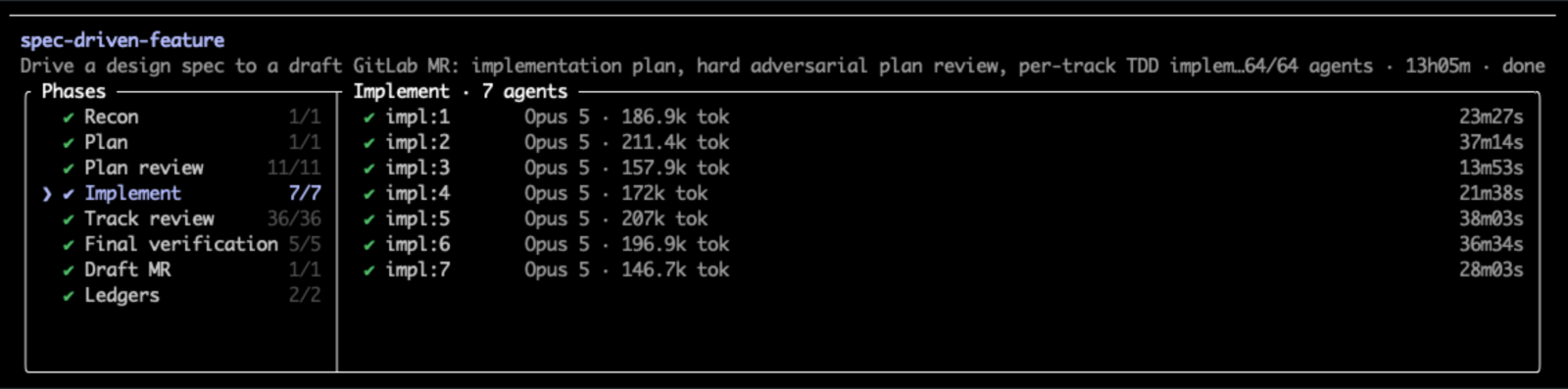
/goal once this is done, run an autoresearch loop to improve cost-efficiency of the superpowers build loop. test with opus as the coordinator. make an hypothesis log. run experiments. run at least 25 experiments.

Resulting in a whopping 50% speed up and 60% reduction in token usage.

The long and the short of it it is that across about 36 hours of work and what would have been $650 of unsubsidized token spend, our Anthropic eval benchmarks were looking like we'd reduced wall-clock runtime for Superpowers builds by 50% and token spend by 60%.

I use this plugin a lot and has served me well. Speed has never been a major problem as it runs in the background and can do other things. But the context switching while waiting can be tiring and this will probably take the edge off of that a bit. And probably means less watching that 5 hourly rate limit when kicking of large builds. And with stronger and more costly models becoming available the token usage reduction is welcome.

Implementing a Full-Stack Feature Using Claude Code's Dynamic Workflows

This is a continuation from the post I wrote recently titled Designing a Feature with Claude Design – Then Handing It to Claude Code.

In that post, I stepped through how I used Claude Design to create a UX design as well as a set of initial requirements for new tag selection and suggestion functionality in my blog's custom CMS.

This post steps through using those artefacts to drive the actual implementation in the frontend and backend apps. Specifically the goal here is to build this end-to-end using Claude Code's new Dynamic Workflows.

The outputs of the Claude Design exercise were a fully functional interactive prototype of the design and a markdown file with a set of requirements and acceptance criteria.

I already have a structured process for defining per-feature design specs, requirements and implementation plans in the projects repo. It consists of several things, but most relevant here is a folder structure and set of markdown files which I would consider the "spec" as part of the planning phase of this AI-driven engineering workflow. These are used as context for the implementation and verification, which often run across several separate sessions.

Usually when starting a feature I would be starting from scratch, or just a high-level set of requirements from the initial blog design and feature roadmap. For this piece of work, Claude Design gave me a working prototype that was already using my frontend style guide and a detailed set of requirements, which I put into the code base for the duration of the build. So I had a solid starting point. However, those didn't fit into my structured process that I already have in place, and I still needed a design spec for the full end-to-end solution.

For larger pieces of work I like to use Jesse Vincent's superpowers plugin. He has done a fantastic job of baking in real software development methodologies and workflows into a set of agent skills that drastically increase the quality and coherence of what's being built.

The first two skills I normally reach for are the brainstorming skill, which is for creating a design spec and the writing-plans skill, which is for writing an implementation plan for the spec. The design spec is the most important part. For any given feature this is where I spend most of my time. The clearer this is defined upfront, the more seamless the rest of the process will be and the higher the chance of it building what I actually want.

Once I'm happy with the design spec and implementation plan, after rounds of refinement, I would then hand it off to Claude Code to start building, usually with subagent development or agent teams.

I already found a general workflow that I follow when building software with AI. In its most simple form it's the Plan-Generate-Evaluate methodology. But that's a gross oversimplification of the entire underlying process. In fact, for each of the Plan-Generate-Evaluate phases I will run inner Evaluate-Regenerate flows, iterating over this at different phases until outputs are where they need to be. The first outputs are rarely good enough.

[... 2746 words]

Designing a Feature with Claude Design — Then Handing It to Claude Code

I've been wanting to give Claude Design a try. In this post I'll walk through my first use of it for designing some new functionality I wanted for my blog CMS. My use here is probably very basic, but it was an interesting exercise, and in particular I wanted to see how I could hand the design off for building.

Just a small disclaimer: I'm not a UX designer, or a creative person in general. But that's exactly why this exercise was interesting — it did a far better job than I ever could.

Getting into it...

I've recently built this blog site where this article is being read (I will write about this separately). It's very new and the feature/capability set is minimal, just enough functionality to manage, publish and serve blog content.

It has a custom-built CMS for managing the content, and supports slug-like tags that I can selectively apply to any of the content. These tags are visible to the right side of this article (or at the bottom on mobile).

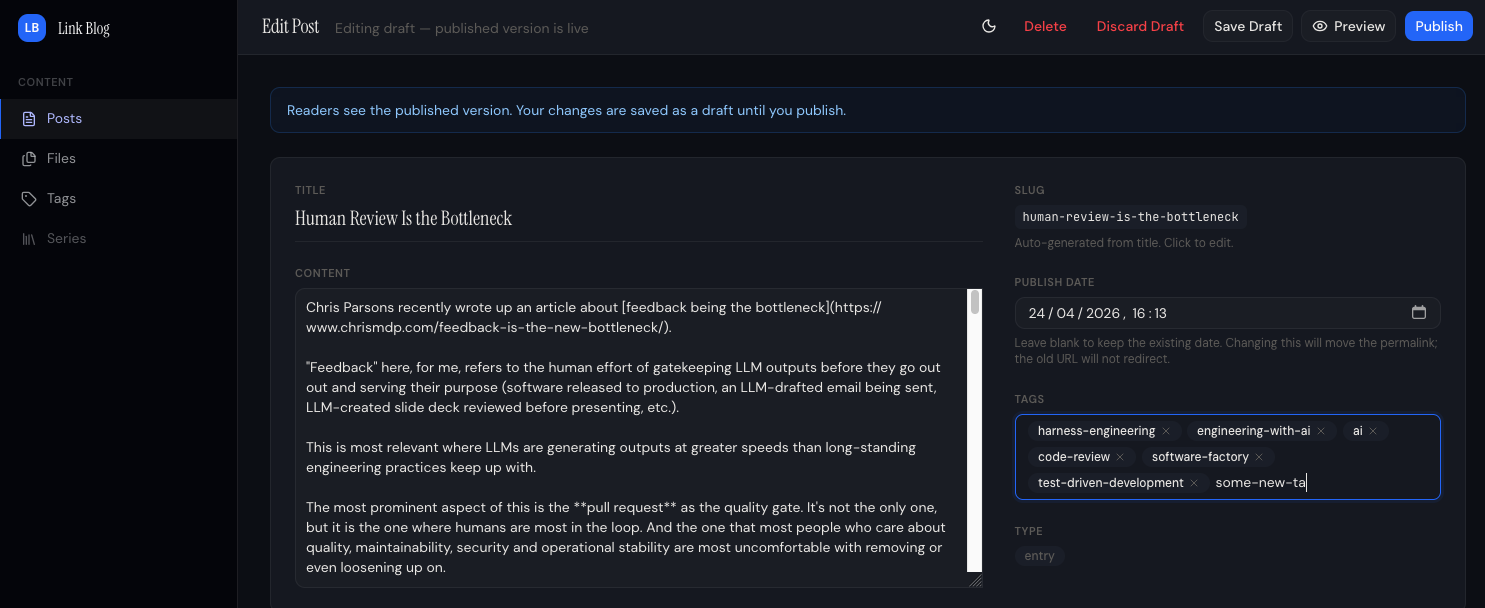
When writing or editing content, it has a section where I can add new tags or use existing ones. Below shows editing an article in the CMS I wrote recently about human reviews being a bottleneck.

Blog CMS Edit Post

The behaviour of the tags input field is: On post creation, any never-before-seen tags will be created in the tags table in the database, existing tags will be referenced.

At first sight it looks ok, but:

  • It has no option to select existing tags.
  • It doesn't indicate if a tag being added was one that already existed or would be created.
  • It doesn't help me avoid creating near-duplicate tags with a similar name or even typos.

One wouldn't want different blog articles using tags that mean the same thing but with slightly different names. For example ai-engineering and engineering-with-ai, or even a typo in the tag like ai-eginering. So without any kind of tag selection, and the behaviour of the existing tag selection and creation, this made the UX painful (I had to open the tag management section in a different tab to remember what tags were available) and susceptible to tags becoming a mess across all the content.

Using Claude Design

Claude Design was introduced on 17 April. I had had a bit of a poke around in it before to see what it was about, but this was the first chance I had to try it out on something real.

I started by pasting four screenshots of the CMS and giving it this prompt. (I used the term "upsert" for tags, which wasn't quite correct, but Claude got it).

Attached are four screenshots of my blog CMS. One is where tags are managed, show when two tags existed; ai and harness-engineering. The second one is showing where I can add a post and enter tags. How it currently works is I can enter any tag value and when the post is created/published then the app(or probably the backend for the CMS) will upsert tags.

So you can see in the third image I enter two tags, one existing and the second one (new-tag) is new, so when the blog post got created is used the existing tag and then created a the new-tag, as shown in the fourth image, where I then have a total of three tags. (Two were existing one new one got created on that new post).

I like this functionality. However, right now when I enter tags on the create post page I don't get offered to select from existing tags, so if my new post should use an existing tag I have to carefully remember or go back and look in the tags section to remember the exact name of the tag so I don't end up with near duplicated for what should be the same tag.

Ideally when I start typing for a new tag, it should show existing tags that match (like contain) the text I have entered, with the option of selecting one of those. If none match it should allow me to add a new tag.

Come up with three options for the post create screen for selecting existing or adding tags. Should be simple and seamless and easy to use.

[... 1879 words]