Designing a Feature with Claude Design — Then Handing It to Claude Code
I've been wanting to give Claude Design a try. In this post I'll walk through my first use of it for designing some new functionality I wanted for my blog CMS. My use here is probably very basic, but it was an interesting exercise, and in particular I wanted to see how I could hand the design off for building.
Just a small disclaimer: I'm not a UX designer, or a creative person in general. But that's exactly why this exercise was interesting — it did a far better job than I ever could.
Getting into it...
I've recently built this blog site where this article is being read (I will write about this separately). It's very new and the feature/capability set is minimal, just enough functionality to manage, publish and serve blog content.
It has a custom-built CMS for managing the content, and supports slug-like tags that I can selectively apply to any of the content. These tags are visible to the right side of this article (or at the bottom on mobile).
When writing or editing content, it has a section where I can add new tags or use existing ones. Below shows editing an article in the CMS I wrote recently about human reviews being a bottleneck.
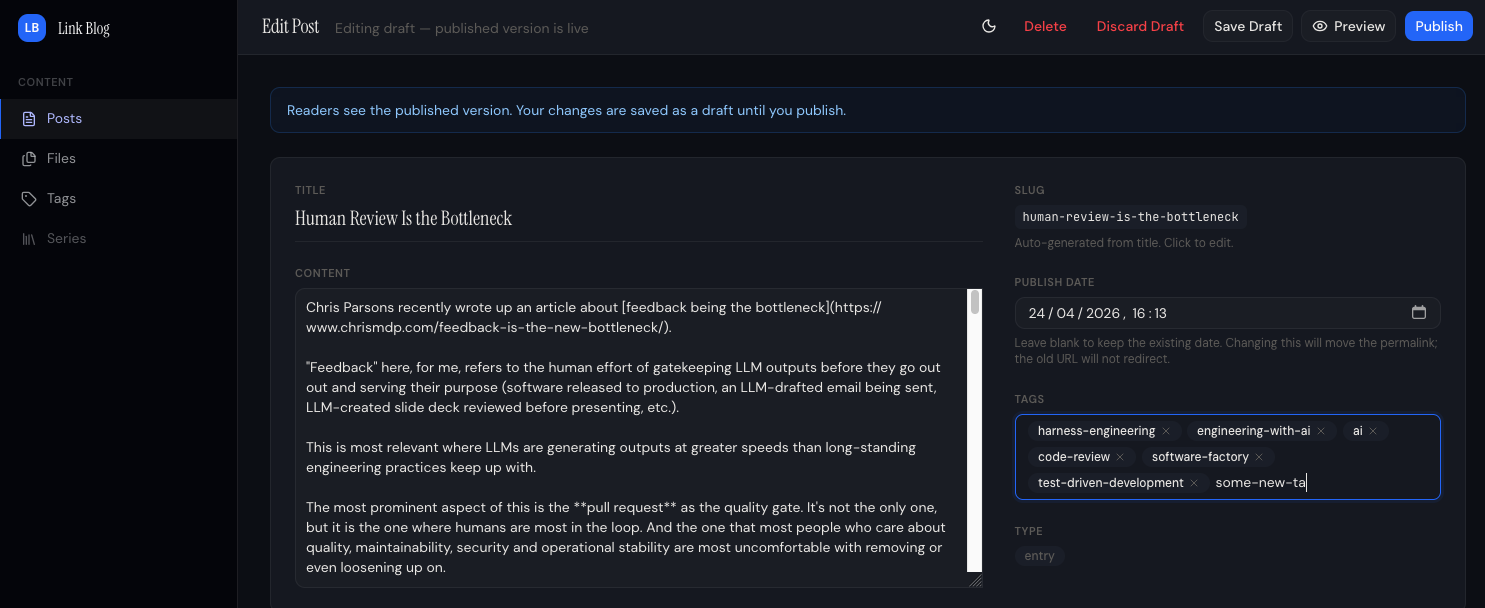
The behaviour of the tags input field is: On post creation, any never-before-seen tags will be created in the tags table in the database, existing tags will be referenced.
At first sight it looks ok, but:
- It has no option to select existing tags.
- It doesn't indicate if a tag being added was one that already existed or would be created.
- It doesn't help me avoid creating near-duplicate tags with a similar name or even typos.
One wouldn't want different blog articles using tags that mean the same thing but with slightly different names. For example ai-engineering and engineering-with-ai, or even a typo in the tag like ai-eginering. So without any kind of tag selection, and the behaviour of the existing tag selection and creation, this made the UX painful (I had to open the tag management section in a different tab to remember what tags were available) and susceptible to tags becoming a mess across all the content.
Using Claude Design
Claude Design was introduced on 17 April. I had had a bit of a poke around in it before to see what it was about, but this was the first chance I had to try it out on something real.
I started by pasting four screenshots of the CMS and giving it this prompt. (I used the term "upsert" for tags, which wasn't quite correct, but Claude got it).
Attached are four screenshots of my blog CMS. One is where tags are managed, show when two tags existed; ai and harness-engineering. The second one is showing where I can add a post and enter tags. How it currently works is I can enter any tag value and when the post is created/published then the app(or probably the backend for the CMS) will upsert tags.
So you can see in the third image I enter two tags, one existing and the second one (new-tag) is new, so when the blog post got created is used the existing tag and then created a the new-tag, as shown in the fourth image, where I then have a total of three tags. (Two were existing one new one got created on that new post).
I like this functionality. However, right now when I enter tags on the create post page I don't get offered to select from existing tags, so if my new post should use an existing tag I have to carefully remember or go back and look in the tags section to remember the exact name of the tag so I don't end up with near duplicated for what should be the same tag.
Ideally when I start typing for a new tag, it should show existing tags that match (like contain) the text I have entered, with the option of selecting one of those. If none match it should allow me to add a new tag.
Come up with three options for the post create screen for selecting existing or adding tags. Should be simple and seamless and easy to use.